> ## Documentation Index
> Fetch the complete documentation index at: https://docs.supplydrop.ai/llms.txt
> Use this file to discover all available pages before exploring further.
# Setup Marketplaces
> Setup different marketplaces on SupplyDrop.
This guide will teach you how to set up different marketplaces on SupplyDrop. If you are not planning on using eBay, skip ahead to the following sections.
### Setting up eBay
In order to list your products on eBay, you will need to sync your eBay account with SupplyDrop.
Before getting started, make sure you have an active eBay seller account and you have filled out all of their required seller information.
**Policies**
In order to automatically list your products on eBay, you will need to set up your policies. If you have not made any policies yet, [you can do that here](https://www.bizpolicy.ebay.com/businesspolicy/manage#topOfMain).
Fulfillment / Shipping Policies will need to be flat rate, or they will not be picked up by this tool.
**Linking your eBay account**
Follow the steps below to link your eBay account to SupplyDrop.
1. Go to the **Settings** page in the SupplyDrop dashboard.
2. Then click on **AutoLister**.
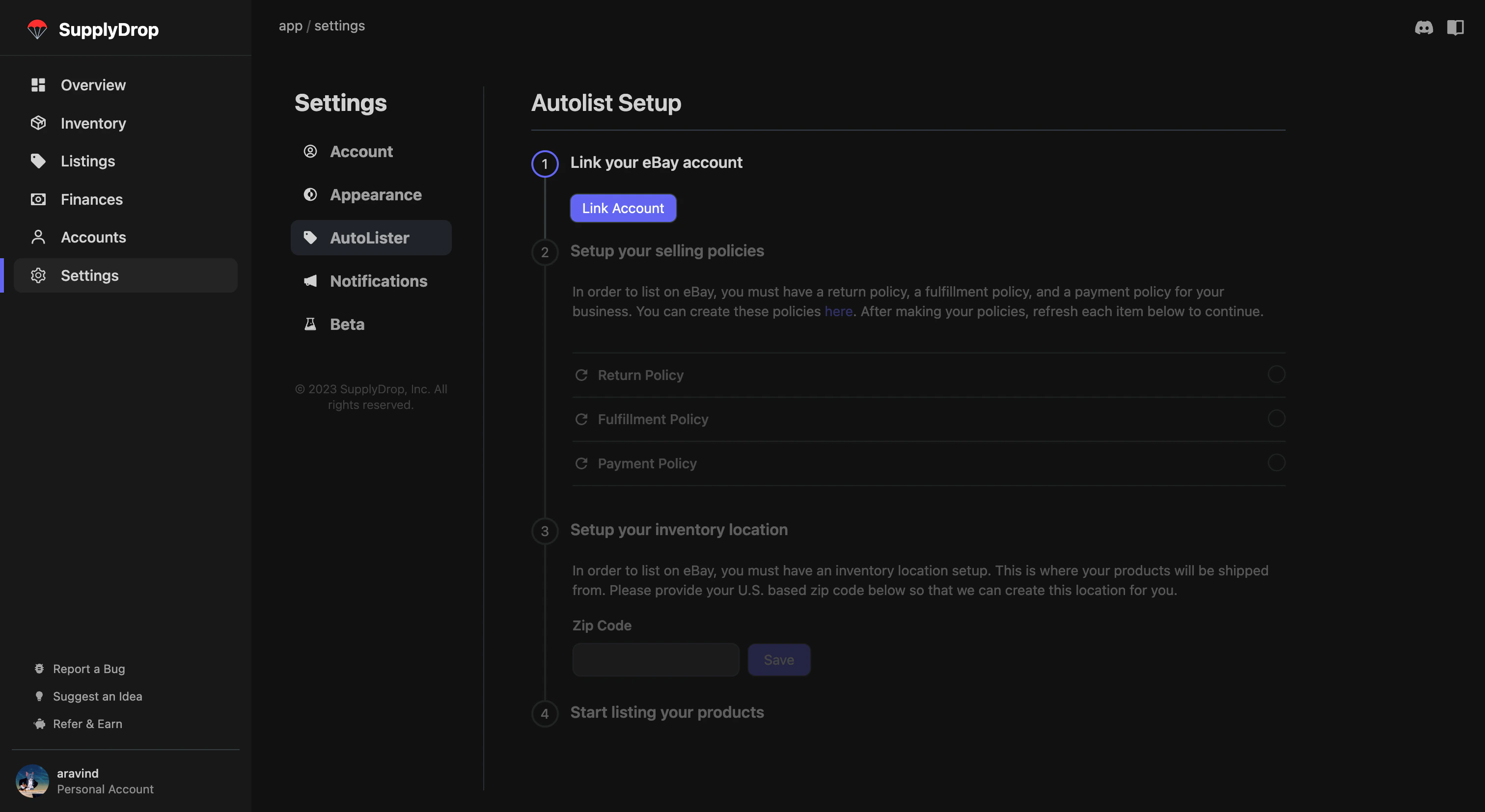 3. Click on the **Link Account** button.
4. After signing in to your eBay account, you will be redirected back to SupplyDrop.
3. Click on the **Link Account** button.
4. After signing in to your eBay account, you will be redirected back to SupplyDrop.
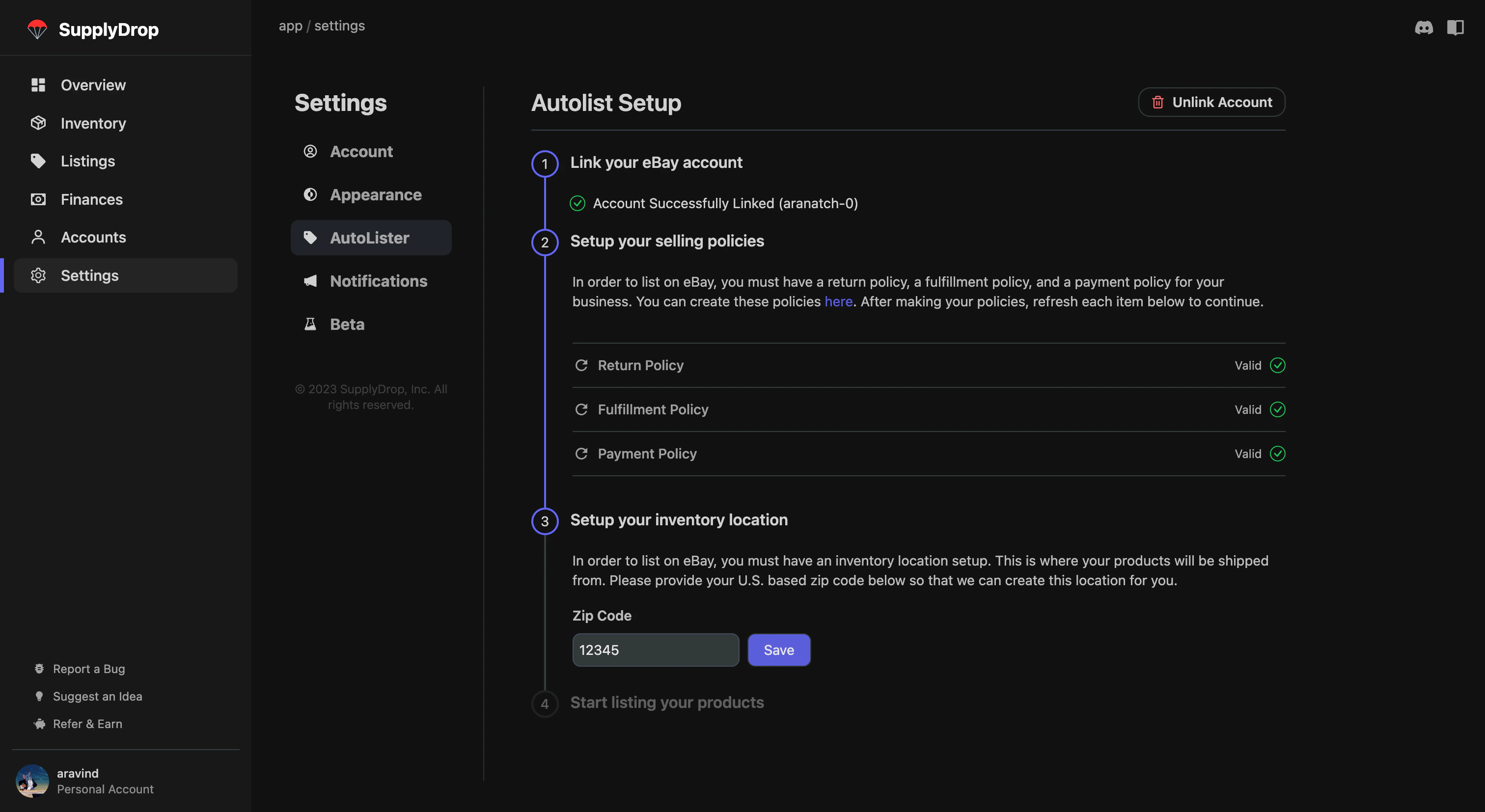 5. Click the **refresh icons** next to each of the policies to sync them with SupplyDrop.
6. In the inventory location section, you will need to enter a U.S. based zip code. This is the zip code where you will be shipping items from. Hit **Save**
**Managing your eBay connection**
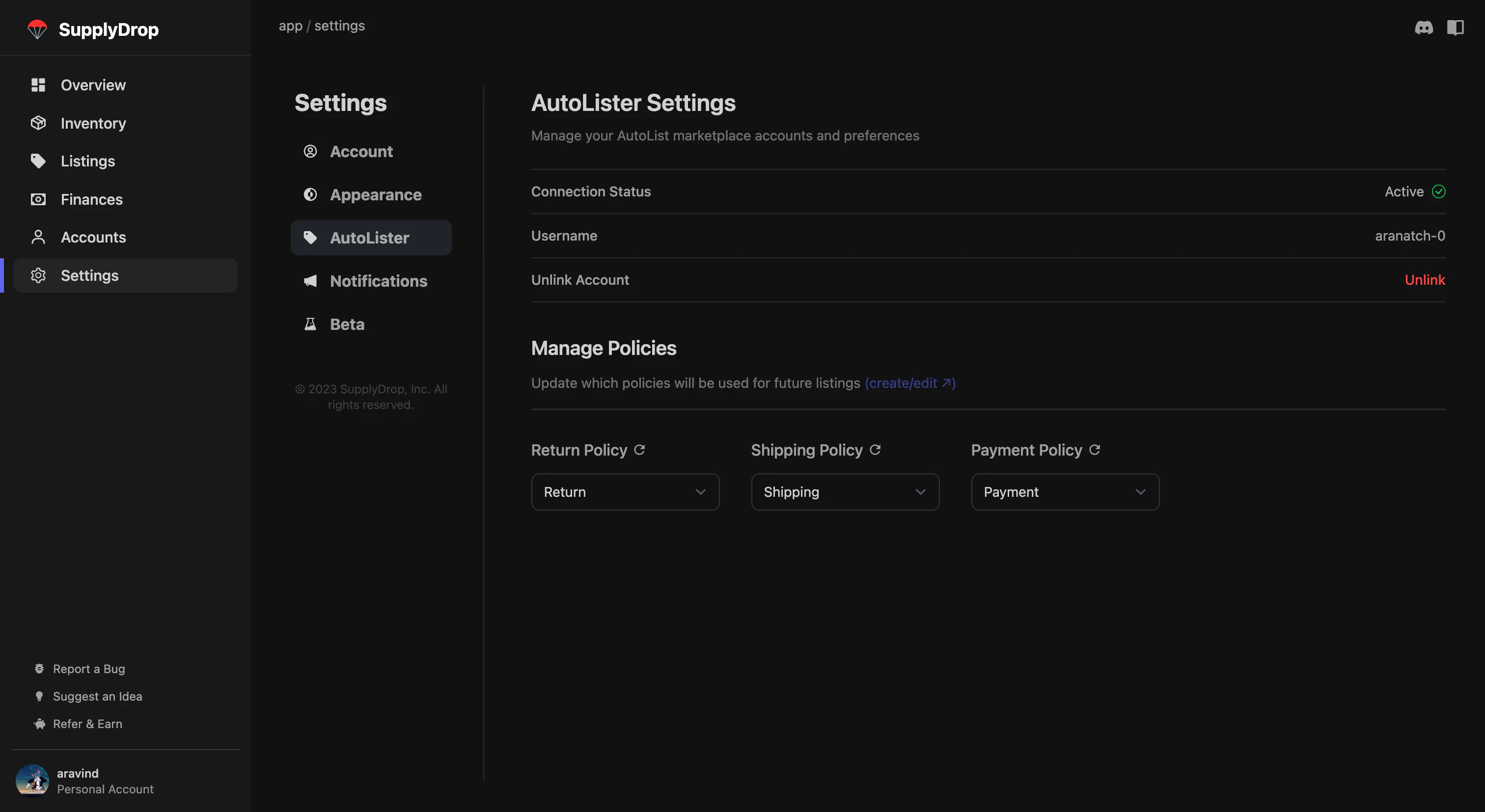
* To unlink your account, click the **Unlink** button under the Unlink Account menu.
* To update specific policies, **use the dropdown menu** to select the policy that you want to use. If necessary, **hit the refresh icon** in order to pull your new policies from eBay.
5. Click the **refresh icons** next to each of the policies to sync them with SupplyDrop.
6. In the inventory location section, you will need to enter a U.S. based zip code. This is the zip code where you will be shipping items from. Hit **Save**
**Managing your eBay connection**
* To unlink your account, click the **Unlink** button under the Unlink Account menu.
* To update specific policies, **use the dropdown menu** to select the policy that you want to use. If necessary, **hit the refresh icon** in order to pull your new policies from eBay.
 ### Setting up other Marketplaces
In order to use other marketplaces, you will need to [download this chrome extension](https://chrome.google.com/webstore/detail/mkdnilkkpbkdmdjdggknamkingjdpgjc) from the Chrome Web Store. That's it, you will never have to touch this extension again.
### Setting up other Marketplaces
In order to use other marketplaces, you will need to [download this chrome extension](https://chrome.google.com/webstore/detail/mkdnilkkpbkdmdjdggknamkingjdpgjc) from the Chrome Web Store. That's it, you will never have to touch this extension again.